4.0
- 8qX6a6mQhWSUBycMHgr7wgXCoTATys
Less
More
7 years 11 months ago - 7 years 11 months ago #141
by 8qX6a6mQhWSUBycMHgr7wgXCoTATys
Replied by 8qX6a6mQhWSUBycMHgr7wgXCoTATys on topic 4.0
@v00d00m4n
this was really uncalled for. Next time be more concise. I understand a few of your points like being able to re-download older versions but we're not in a position to demand anything.
thanks @crosire for another great release.
this was really uncalled for. Next time be more concise. I understand a few of your points like being able to re-download older versions but we're not in a position to demand anything.
thanks @crosire for another great release.
Last edit: 7 years 11 months ago by 8qX6a6mQhWSUBycMHgr7wgXCoTATys.
The topic has been locked.
- Martigen
Less
More
Eh, no. If that were true, we'd all still be using Windows 3.1.v00d00m4n wrote: OH NO!
There is a basic rule in IT industry that everyone should follow - if aint broken - dont fix it!
There's absolutely nothing wrong with the way Reshade has progressed -- it's improved massively with each new release, and I -love- 4.0! The interface is slick, the compiling is lightning fast, the new features like in-built editor, enhanced stats tab, and oh lordy massively improved depth buffer detection are nothing short of amazing. And lets not forget some of the changes Crosire made were to be able to add Vulkan/DX12 support at a later date. Or, do you not want to use Reshade in a year's time with all the latest games v00d00m4n?
Every software project has teething problems with each new release, and Crosire has been incredibly responsive updating 4.0 to 4.01 and 4.02. There may still be a few issues, and the way to handle this is to provide a clear description of the problem with repeatable steps and if needed the logs so that Crosire can look at it -- this is how you help improve the product.
This is free software Crosire does on his own time. How about giving him some appreciation for all the hard work? For me, personally, it's revolutionised how I play games. I use it with every single one on my machine. And I can't thank Crosire enough for this amazing tool -- and, yes, all you shader developers too -- I love you all. I really appreciate the time spent coding and improving shaders to make our games look amazing. Thank you.
The following user(s) said Thank You: crosire, Wicked Sick, conan2k, Ryukou36, Viper_Joe
The topic has been locked.
- Marty McFly
Less
More
7 years 11 months ago - 7 years 11 months ago #143
by Marty McFly
Replied by Marty McFly on topic 4.0
Shaders are being updated, configs are backwards compatible to ReShade 3,so I don't see the problem.
Updating shaders if they are broken is a 5 minute task, really, so that shouldn't hamper ReShade development. I basically developed since ReShade 1 and never felt disturbed or annoyed by the updates and necessary changes I had to perform.
Sure, some UI changes happened but the unprecise sliders problem already solved itself - drag now does what it did, crosire only changed most sliders in shaders to "slider". The UI can be un-docked so you can use it like before - I do that for example so besides the new stuff you'd see no difference between me using 3 and 4.
The jump from 1 to 2 and from 2 to 3 were necessary. No one could be bothered to edit the huge files in 1 or use the mediator in 2. It's very good as it is now.
Last edit: 7 years 11 months ago by Marty McFly.
The following user(s) said Thank You: crosire, Wicked Sick, Viper_Joe, AssassinsDecree, Masterfireheart
The topic has been locked.
- TheHunter
Less
More
I have a few issues
Hunt Showdown says no 3d11 card supported and closes, so I guess it doesn't like it? it pinpoints to that dxgi.dll
Doom3 also crashes, I have sikkmod, but I also tried vanilla, and same thing.
Any workarounds?
Hunt Showdown says no 3d11 card supported and closes, so I guess it doesn't like it? it pinpoints to that dxgi.dll
Doom3 also crashes, I have sikkmod, but I also tried vanilla, and same thing.
Warning: Spoiler!
WARNING: file skins/skins_mp.skin, line 841: skin 'skins/characters/player/marine_mp_green_withskel' previously defined at skins/skins_characters_player.skin:570
Initializing renderSystem
using ARB renderSystem
renderSystem initialized.
5206 strings read from strings/english.lang
5308 strings read from strings/english_venom_menu.lang
Couldn't open journal files
execing editor.cfg
execing default.cfg
execing DoomConfig.cfg
execing autoexec.cfg
5206 strings read from strings/english.lang
5308 strings read from strings/english_venom_menu.lang
Initializing Sound System
Setup OpenAL device and context... Done.
OpenAL: found EAX 4.0 extension
OpenAL: found EAX-RAM extension, 63360kB\65536kB
OpenAL: found SB X-Fi Audio [0001]
OpenAL: found 127 hardware voices
sound system initialized.
R_InitOpenGL
Initializing OpenGL subsystem
...registered window class
...registered fake window class
...initializing QGL
...calling LoadLibrary( 'opengl32' ): succeeded
Couldn't find proc address for: wglGetExtensionsStringARB
Couldn't find proc address for: wglSwapIntervalEXT
Couldn't find proc address for: wglGetPixelFormatAttribivARB
Couldn't find proc address for: wglGetPixelFormatAttribfvARB
Couldn't find proc address for: wglChoosePixelFormatARB
Couldn't find proc address for: wglCreatePbufferARB
Couldn't find proc address for: wglGetPbufferDCARB
Couldn't find proc address for: wglReleasePbufferDCARB
Couldn't find proc address for: wglDestroyPbufferARB
Couldn't find proc address for: wglQueryPbufferARB
Couldn't find proc address for: wglBindTexImageARB
Couldn't find proc address for: wglReleaseTexImageARB
Couldn't find proc address for: wglSetPbufferAttribARB
...calling CDS: ok
...created window @ 0,0 (2880x1620)
Initializing OpenGL driver
...getting DC: succeeded
...GLW_ChoosePFD failed
Shutting down OpenGL subsystem
...wglMakeCurrent( NULL, NULL ): success
...releasing DC: failed
...resetting display
...shutting down QGL
...unloading OpenGL DLL
Initializing OpenGL subsystem
...initializing QGL
...calling LoadLibrary( 'opengl32' ): succeeded
Couldn't find proc address for: wglGetExtensionsStringARB
Couldn't find proc address for: wglSwapIntervalEXT
Couldn't find proc address for: wglGetPixelFormatAttribivARB
Couldn't find proc address for: wglGetPixelFormatAttribfvARB
Couldn't find proc address for: wglChoosePixelFormatARB
Couldn't find proc address for: wglCreatePbufferARB
Couldn't find proc address for: wglGetPbufferDCARB
Couldn't find proc address for: wglReleasePbufferDCARB
Couldn't find proc address for: wglDestroyPbufferARB
Couldn't find proc address for: wglQueryPbufferARB
Couldn't find proc address for: wglBindTexImageARB
Couldn't find proc address for: wglReleaseTexImageARB
Couldn't find proc address for: wglSetPbufferAttribARB
...calling CDS: ok
...created window @ 0,0 (640x480)
Initializing OpenGL driver
...getting DC: succeeded
...GLW_ChoosePFD failed
Shutting down OpenGL subsystem
...wglMakeCurrent( NULL, NULL ): success
...releasing DC: failed
...resetting display
...shutting down QGL
...unloading OpenGL DLL
idRenderSystem::Shutdown()
Shutting down OpenGL subsystem
...shutting down QGL
Unable to initialize OpenGL
Any workarounds?
Last edit: 7 years 11 months ago by TheHunter.
The topic has been locked.
- JBeckman
Less
More
d3d11.dll might be another way to get it to load unless the game uses features that aren't fully supported in ReShade yet although that would make Hunt Showdown exclusive to Windows 8 or even Windows 10 drawing on DXGI 1.5 or D3D11.3 and newer with no fallback or feature level support which seems unlikely but I have not kept up to date with the latest Cry Engine V changes though I know D3D12 and Vulkan are both supported now by the engine in addition to D3D11 from before.
Can't say much about DOOM 3, Sikkmod significantly changes the OpenGL code but aside from driver profiles and hacks (More of a issue for AMD.) that shouldn't be too breaking though I suppose it falls upon whatever rewrites have been done to the OpenGL files, shader structures and such I don't fully remember but I know it's mostly in plain text and pretty mod friendly thus allowing modders to write in a lot of additional features and support for shaders and such.
(Like the early parallax mods.)
EDIT: Unless Hunt Showdown also uses some form of anti-cheat restricting DXGI.dll from loading and that's what is breaking things here, it's still in early access as I recall or beta at least but they might have something to ward against file injection even if it's ReShade and the new .dll might not yet have been whitelisted if that's a thing.
Last edit: 7 years 11 months ago by JBeckman.
The topic has been locked.
- TheHunter
Less
More
JBeckman wrote: d3d11.dll might be another way to get it to load unless the game uses features that aren't fully supported in ReShade yet although that would make Hunt Showdown exclusive to Windows 8 or even Windows 10 drawing on DXGI 1.5 or D3D11.3 and newer with no fallback or feature level support which seems unlikely but I have not kept up to date with the latest Cry Engine V changes though I know D3D12 and Vulkan are both supported now by the engine in addition to D3D11 from before.
Can't say much about DOOM 3, Sikkmod significantly changes the OpenGL code but aside from driver profiles and hacks (More of a issue for AMD.) that shouldn't be too breaking though I suppose it falls upon whatever rewrites have been done to the OpenGL files, shader structures and such I don't fully remember but I know it's mostly in plain text and pretty mod friendly thus allowing modders to write in a lot of additional features and support for shaders and such.
(Like the early parallax mods.)
EDIT: Unless Hunt Showdown also uses some form of anti-cheat restricting DXGI.dll from loading and that's what is breaking things here, it's still in early access as I recall or beta at least but they might have something to ward against file injection even if it's ReShade and the new .dll might not yet have been whitelisted if that's a thing.
Hi Jonas
it detects easy anticheat and makes a workaround if I select main folder, but then I saw the game exe is in bin folder, when I put it there it doesn't want to start.
And yes easy anticheat says dxgi.dll is a untrusted app afterwards.. will post this @ hunt showdown thread, maybe they will exclude it.

By doom it just crashes when it tries to grab fullscreen, idk.. I had custom DSR 2880x1620, but then I saw also 640x480 crash in log. Like I said I also started default exe without sikkmod and same thing? as seen in quote.
Warning: Spoiler!
00:26:38:968 [07488] | INFO | Initializing crosire's ReShade version '4.0.2.489' (32-bit) built on '2018-11-21 23:57:49' loaded from "I:\\DOOM 3\\OPENGL32.dll" to "I:\\DOOM 3\\DOOM3.exe" ...
00:26:39:015 [07488] | INFO | Registering hooks for "user32.dll" ...
00:26:39:015 [07488] | INFO | > Libraries loaded.
00:26:39:015 [07488] | INFO | > Found 13 match(es). Installing ...
00:26:39:015 [07488] | INFO | Registering hooks for "ws2_32.dll" ...
00:26:39:015 [07488] | INFO | > Libraries loaded.
00:26:39:015 [07488] | INFO | > Found 8 match(es). Installing ...
00:26:39:031 [07488] | INFO | Registering hooks for "C:\\WINDOWS\\system32\\d3d9.dll" ...
00:26:39:031 [07488] | INFO | > Delayed.
00:26:39:031 [07488] | INFO | Registering hooks for "C:\\WINDOWS\\system32\\d3d10.dll" ...
00:26:39:031 [07488] | INFO | > Delayed.
00:26:39:031 [07488] | INFO | Registering hooks for "C:\\WINDOWS\\system32\\d3d10_1.dll" ...
00:26:39:031 [07488] | INFO | > Delayed.
00:26:39:031 [07488] | INFO | Registering hooks for "C:\\WINDOWS\\system32\\d3d11.dll" ...
00:26:39:031 [07488] | INFO | > Delayed.
00:26:39:031 [07488] | INFO | Registering hooks for "C:\\WINDOWS\\system32\\dxgi.dll" ...
00:26:39:031 [07488] | INFO | > Delayed.
00:26:39:031 [07488] | INFO | Registering hooks for "C:\\WINDOWS\\system32\\opengl32.dll" ...
00:26:39:031 [07488] | INFO | > Delayed until first call to an exported function.
00:26:39:031 [07488] | INFO | Initialized.
00:26:39:031 [07488] | INFO | Redirecting 'RegisterClassA(02FFFE0C)' ...
00:26:39:031 [07488] | INFO | > Adding 'CS_OWNDC' window class style flag to 'DOOM 3 WinConsole'.
00:26:39:031 [09252] | INFO | Installing delayed hooks for "C:\\WINDOWS\\system32\\d3d11.dll" (Just loaded via 'LoadLibrary(""ext-ms-win-mininput-inputhost-l1-1-1.dll"")') ...
00:26:39:031 [09252] | INFO | > Found 2 match(es). Installing ...
00:26:39:055 [09252] | INFO | Installing delayed hooks for "C:\\WINDOWS\\system32\\dxgi.dll" (Just loaded via 'LoadLibrary(""ext-ms-win-mininput-inputhost-l1-1-1.dll"")') ...
00:26:39:055 [09252] | INFO | > Found 7 match(es). Installing ...
00:26:39:572 [07488] | INFO | Redirecting 'RegisterClassA(02FFE26C)' ...
00:26:39:572 [07488] | INFO | > Adding 'CS_OWNDC' window class style flag to 'DOOM3'.
00:26:39:572 [07488] | INFO | Redirecting 'RegisterClassA(02FFE26C)' ...
00:26:39:572 [07488] | INFO | > Adding 'CS_OWNDC' window class style flag to 'DOOM3_WGL_FAKE'.
00:26:39:574 [07488] | INFO | Redirecting 'wglChoosePixelFormat(64011A53, 007750E0)' ...
00:26:39:574 [07488] | INFO | > Dumping pixel format descriptor:
00:26:39:574 [07488] | INFO | +
+
+
00:26:39:574 [07488] | INFO | | Name | Value |
00:26:39:574 [07488] | INFO | +
+
+
00:26:39:574 [07488] | INFO | | Flags | 0x25 |
00:26:39:574 [07488] | INFO | | ColorBits | 24 |
00:26:39:574 [07488] | INFO | | DepthBits | 8 |
00:26:39:574 [07488] | INFO | | StencilBits | 0 |
00:26:39:574 [07488] | INFO | +
+
+
00:26:39:575 [07488] | INFO | Installing export hooks for "C:\\WINDOWS\\system32\\opengl32.dll" ...
00:26:39:575 [07488] | INFO | > Found 360 match(es). Installing ...
00:26:39:794 [07488] | INFO | > Returned format: 0
00:26:39:794 [07488] | INFO | Redirecting 'wglSetPixelFormat(64011A53, 0, 007750E0)' ...
00:26:39:794 [07488] | WARN | > 'wglSetPixelFormat' failed with error code 87!
00:26:39:794 [07488] | INFO | Redirecting 'wglCreateContext(64011A53)' ...
00:26:39:794 [07488] | INFO | > Passing on to 'wglCreateLayerContext' ...
00:26:39:794 [07488] | INFO | Redirecting 'wglCreateLayerContext(64011A53, 0)' ...
00:26:39:794 [07488] | WARN | > 'wglCreateLayerContext' failed with error code 2000!
00:26:39:794 [07488] | INFO | Redirecting 'wglMakeCurrent(64011A53, 00000000)' ...
00:26:39:794 [07488] | WARN | > 'wglMakeCurrent' failed with error code 2000!
00:26:39:794 [07488] | INFO | Redirecting 'wglMakeCurrent(00000000, 00000000)' ...
00:26:39:794 [07488] | INFO | Redirecting 'wglMakeCurrent(00000000, 00000000)' ...
00:26:39:794 [07488] | INFO | Redirecting 'wglDeleteContext(00000000)' ...
00:26:39:794 [07488] | WARN | > 'wglDeleteContext' failed with error code 6!
00:26:39:794 [07488] | INFO | Redirecting 'wglCreateContext(64011A53)' ...
00:26:39:794 [07488] | INFO | > Passing on to 'wglCreateLayerContext' ...
00:26:39:794 [07488] | INFO | Redirecting 'wglCreateLayerContext(64011A53, 0)' ...
00:26:39:794 [07488] | WARN | > 'wglCreateLayerContext' failed with error code 2000!
00:26:39:794 [07488] | INFO | Redirecting 'wglMakeCurrent(64011A53, 00000000)' ...
00:26:39:794 [07488] | WARN | > 'wglMakeCurrent' failed with error code 2000!
00:26:39:795 [07488] | INFO | Redirecting 'wglMakeCurrent(00000000, 00000000)' ...
00:26:39:795 [07488] | INFO | Redirecting 'wglDeleteContext(00000000)' ...
00:26:39:795 [07488] | WARN | > 'wglDeleteContext' failed with error code 6!
00:26:39:975 [07488] | INFO | Redirecting 'wglChoosePixelFormat(180102CF, 02FFE1BC)' ...
00:26:39:975 [07488] | INFO | > Dumping pixel format descriptor:
00:26:39:975 [07488] | INFO | +
+
+
00:26:39:975 [07488] | INFO | | Name | Value |
00:26:39:975 [07488] | INFO | +
+
+
00:26:39:975 [07488] | INFO | | Flags | 0x25 |
00:26:39:975 [07488] | INFO | | ColorBits | 32 |
00:26:39:975 [07488] | INFO | | DepthBits | 24 |
00:26:39:975 [07488] | INFO | | StencilBits | 8 |
00:26:39:975 [07488] | INFO | +
+
+
00:26:39:975 [07488] | INFO | > Returned format: 0
00:26:39:984 [07488] | INFO | Redirecting 'wglMakeCurrent(00000000, 00000000)' ...
00:26:40:126 [07488] | INFO | Redirecting 'wglChoosePixelFormat(4C011A90, 007750E0)' ...
00:26:40:126 [07488] | INFO | > Dumping pixel format descriptor:
00:26:40:126 [07488] | INFO | +
+
+
00:26:40:126 [07488] | INFO | | Name | Value |
00:26:40:126 [07488] | INFO | +
+
+
00:26:40:126 [07488] | INFO | | Flags | 0x25 |
00:26:40:126 [07488] | INFO | | ColorBits | 24 |
00:26:40:126 [07488] | INFO | | DepthBits | 8 |
00:26:40:126 [07488] | INFO | | StencilBits | 0 |
00:26:40:126 [07488] | INFO | +
+
+
00:26:40:128 [07488] | INFO | > Returned format: 0
00:26:40:128 [07488] | INFO | Redirecting 'wglSetPixelFormat(4C011A90, 0, 007750E0)' ...
00:26:40:129 [07488] | WARN | > 'wglSetPixelFormat' failed with error code 87!
00:26:40:129 [07488] | INFO | Redirecting 'wglCreateContext(4C011A90)' ...
00:26:40:129 [07488] | INFO | > Passing on to 'wglCreateLayerContext' ...
00:26:40:129 [07488] | INFO | Redirecting 'wglCreateLayerContext(4C011A90, 0)' ...
00:26:40:129 [07488] | WARN | > 'wglCreateLayerContext' failed with error code 2000!
00:26:40:129 [07488] | INFO | Redirecting 'wglMakeCurrent(4C011A90, 00000000)' ...
00:26:40:130 [07488] | WARN | > 'wglMakeCurrent' failed with error code 2000!
00:26:40:130 [07488] | INFO | Redirecting 'wglMakeCurrent(00000000, 00000000)' ...
00:26:40:130 [07488] | INFO | Redirecting 'wglMakeCurrent(00000000, 00000000)' ...
00:26:40:130 [07488] | INFO | Redirecting 'wglDeleteContext(00000000)' ...
00:26:40:130 [07488] | WARN | > 'wglDeleteContext' failed with error code 6!
00:26:40:130 [07488] | INFO | Redirecting 'wglCreateContext(4C011A90)' ...
00:26:40:130 [07488] | INFO | > Passing on to 'wglCreateLayerContext' ...
00:26:40:130 [07488] | INFO | Redirecting 'wglCreateLayerContext(4C011A90, 0)' ...
00:26:40:131 [07488] | WARN | > 'wglCreateLayerContext' failed with error code 2000!
00:26:40:131 [07488] | INFO | Redirecting 'wglMakeCurrent(4C011A90, 00000000)' ...
00:26:40:131 [07488] | WARN | > 'wglMakeCurrent' failed with error code 2000!
00:26:40:161 [07488] | INFO | Redirecting 'wglMakeCurrent(00000000, 00000000)' ...
00:26:40:161 [07488] | INFO | Redirecting 'wglDeleteContext(00000000)' ...
00:26:40:161 [07488] | WARN | > 'wglDeleteContext' failed with error code 6!
00:26:40:287 [07488] | INFO | Redirecting 'wglChoosePixelFormat(7F01021B, 02FFE1BC)' ...
00:26:40:287 [07488] | INFO | > Dumping pixel format descriptor:
00:26:40:287 [07488] | INFO | +
+
+
00:26:40:287 [07488] | INFO | | Name | Value |
00:26:40:287 [07488] | INFO | +
+
+
00:26:40:287 [07488] | INFO | | Flags | 0x25 |
00:26:40:287 [07488] | INFO | | ColorBits | 32 |
00:26:40:287 [07488] | INFO | | DepthBits | 24 |
00:26:40:287 [07488] | INFO | | StencilBits | 8 |
00:26:40:287 [07488] | INFO | +
+
+
00:26:40:288 [07488] | INFO | > Returned format: 0
00:26:40:298 [07488] | INFO | Redirecting 'wglMakeCurrent(00000000, 00000000)' ...
00:26:43:950 [07488] | INFO | Exiting ...
00:26:43:950 [07488] | INFO | Uninstalling 394 hook(s) ...
00:26:43:950 [07488] | INFO | Exited.
Last edit: 7 years 11 months ago by TheHunter.
The topic has been locked.
- tats25
Less
More
- brazzjazz
Less
More
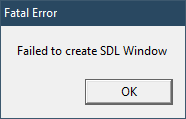
Half-Life doesn't work with ReShade 4.0.2, this goes for both the WON (original CD-ROM) version as well as the Steam version.
WON version:
Error message "ChoosePixelFormat failed". The error message in the ingame menu then says "The selected OpenGL mode is not supported by your video card". Everything worked normally again when I replaced the new with the old (3.4.1) opengl32.dll.
opengl32.txt:
Steam version:
opengl32.txt:
WON version:
Error message "ChoosePixelFormat failed". The error message in the ingame menu then says "The selected OpenGL mode is not supported by your video card". Everything worked normally again when I replaced the new with the old (3.4.1) opengl32.dll.
opengl32.txt:
Code:
09:15:29:532 [03608] | INFO | Initializing crosire's ReShade version '4.0.2.489' (32-bit) built on '2018-11-21 23:57:49' loaded from "D:\\Spiele\\Half-Life (WON)\\opengl32.dll" to "D:\\Spiele\\Half-Life (WON)\\hl.exe" ...
09:15:29:819 [03608] | INFO | Registering hooks for "user32.dll" ...
09:15:29:819 [03608] | INFO | > Libraries loaded.
09:15:29:820 [03608] | INFO | > Found 13 match(es). Installing ...
09:15:29:894 [03608] | INFO | Registering hooks for "ws2_32.dll" ...
09:15:29:894 [03608] | INFO | > Libraries loaded.
09:15:29:894 [03608] | INFO | > Found 8 match(es). Installing ...
09:15:29:964 [03608] | INFO | Registering hooks for "C:\\WINDOWS\\system32\\d3d9.dll" ...
09:15:29:965 [03608] | INFO | > Delayed.
09:15:29:965 [03608] | INFO | Registering hooks for "C:\\WINDOWS\\system32\\d3d10.dll" ...
09:15:29:965 [03608] | INFO | > Delayed.
09:15:29:965 [03608] | INFO | Registering hooks for "C:\\WINDOWS\\system32\\d3d10_1.dll" ...
09:15:29:965 [03608] | INFO | > Delayed.
09:15:29:965 [03608] | INFO | Registering hooks for "C:\\WINDOWS\\system32\\d3d11.dll" ...
09:15:29:966 [03608] | INFO | > Delayed.
09:15:29:966 [03608] | INFO | Registering hooks for "C:\\WINDOWS\\system32\\dxgi.dll" ...
09:15:29:966 [03608] | INFO | > Libraries loaded.
09:15:29:966 [03608] | INFO | > Found 7 match(es). Installing ...
09:15:30:036 [03608] | INFO | Registering hooks for "C:\\WINDOWS\\system32\\opengl32.dll" ...
09:15:30:036 [03608] | INFO | > Delayed until first call to an exported function.
09:15:30:036 [03608] | INFO | Initialized.
09:15:30:036 [03608] | INFO | Redirecting 'wglChoosePixelFormat(9401160D, 0DB86168)' ...
09:15:30:036 [03608] | INFO | > Dumping pixel format descriptor:
09:15:30:036 [03608] | INFO | +-----------------------------------------+-----------------------------------------+
09:15:30:036 [03608] | INFO | | Name | Value |
09:15:30:036 [03608] | INFO | +-----------------------------------------+-----------------------------------------+
09:15:30:036 [03608] | INFO | | Flags | 0x25 |
09:15:30:036 [03608] | INFO | | ColorBits | 24 |
09:15:30:036 [03608] | INFO | | DepthBits | 32 |
09:15:30:037 [03608] | INFO | | StencilBits | 0 |
09:15:30:037 [03608] | INFO | +-----------------------------------------+-----------------------------------------+
09:15:30:039 [03608] | INFO | Installing export hooks for "C:\\WINDOWS\\system32\\opengl32.dll" ...
09:15:30:040 [03608] | INFO | > Found 360 match(es). Installing ...
09:15:30:784 [03608] | INFO | > Returned format: 0
09:15:49:368 [03608] | INFO | Redirecting 'wglMakeCurrent(00000000, 00000000)' ...
09:15:56:562 [03608] | INFO | Exiting ...
09:15:56:562 [03608] | INFO | Uninstalling 392 hook(s) ...
09:15:56:638 [03608] | INFO | Exited.
Steam version:
opengl32.txt:
Code:
16:34:14:388 [15288] | INFO | Initializing crosire's ReShade version '4.0.2.489' (32-bit) built on '2018-11-21 23:57:49' loaded from "D:\\Spiele\\Steam\\steamapps\\common\\Half-Life\\OPENGL32.dll" to "D:\\Spiele\\Steam\\steamapps\\common\\Half-Life\\hl.exe" ...
16:34:14:690 [15288] | INFO | Registering hooks for "user32.dll" ...
16:34:14:690 [15288] | INFO | > Libraries loaded.
16:34:14:690 [15288] | INFO | > Found 13 match(es). Installing ...
16:34:14:770 [15288] | INFO | Registering hooks for "ws2_32.dll" ...
16:34:14:770 [15288] | INFO | > Libraries loaded.
16:34:14:770 [15288] | INFO | > Found 8 match(es). Installing ...
16:34:14:844 [15288] | INFO | Registering hooks for "C:\\WINDOWS\\system32\\d3d9.dll" ...
16:34:14:845 [15288] | INFO | > Delayed.
16:34:14:845 [15288] | INFO | Registering hooks for "C:\\WINDOWS\\system32\\d3d10.dll" ...
16:34:14:845 [15288] | INFO | > Delayed.
16:34:14:845 [15288] | INFO | Registering hooks for "C:\\WINDOWS\\system32\\d3d10_1.dll" ...
16:34:14:845 [15288] | INFO | > Delayed.
16:34:14:845 [15288] | INFO | Registering hooks for "C:\\WINDOWS\\system32\\d3d11.dll" ...
16:34:14:846 [15288] | INFO | > Delayed.
16:34:14:846 [15288] | INFO | Registering hooks for "C:\\WINDOWS\\system32\\dxgi.dll" ...
16:34:14:846 [15288] | INFO | > Libraries loaded.
16:34:14:846 [15288] | INFO | > Found 7 match(es). Installing ...
16:34:14:924 [15288] | INFO | Registering hooks for "C:\\WINDOWS\\system32\\opengl32.dll" ...
16:34:14:925 [15288] | INFO | > Delayed until first call to an exported function.
16:34:14:925 [15288] | INFO | Initialized.
16:34:14:927 [15288] | INFO | Redirecting 'RegisterClassW(0019F304)' ...
16:34:14:927 [15288] | INFO | > Adding 'CS_OWNDC' window class style flag to 'SDL_app'.
16:34:15:010 [15288] | INFO | Redirecting 'RegisterClassExW(0019F8CC)' ...
16:34:15:010 [15288] | INFO | > Adding 'CS_OWNDC' window class style flag to 'SteamWinsockInitFakeClass_1'.
16:34:15:336 [13760] | INFO | Redirecting 'RegisterClassExW(09BAFEE4)' ...
16:34:15:336 [13760] | INFO | > Adding 'CS_OWNDC' window class style flag to 'Message'.
16:34:15:468 [15288] | INFO | Redirecting 'wglChoosePixelFormat(8C010EBF, 0019F560)' ...
16:34:15:468 [15288] | INFO | > Dumping pixel format descriptor:
16:34:15:468 [15288] | INFO | +-----------------------------------------+-----------------------------------------+
16:34:15:468 [15288] | INFO | | Name | Value |
16:34:15:468 [15288] | INFO | +-----------------------------------------+-----------------------------------------+
16:34:15:468 [15288] | INFO | | Flags | 0x25 |
16:34:15:468 [15288] | INFO | | ColorBits | 12 |
16:34:15:468 [15288] | INFO | | DepthBits | 24 |
16:34:15:468 [15288] | INFO | | StencilBits | 0 |
16:34:15:468 [15288] | INFO | +-----------------------------------------+-----------------------------------------+
16:34:15:472 [15288] | INFO | Installing export hooks for "C:\\WINDOWS\\system32\\opengl32.dll" ...
16:34:15:472 [15288] | INFO | > Found 360 match(es). Installing ...
16:34:16:337 [15288] | INFO | > Returned format: 0
16:34:16:337 [15288] | INFO | Redirecting 'wglSetPixelFormat(8C010EBF, 0, 0019F560)' ...
16:34:16:338 [15288] | WARN | > 'wglSetPixelFormat' failed with error code 87!
16:34:16:338 [15288] | INFO | Redirecting 'wglCreateContext(8C010EBF)' ...
16:34:16:338 [15288] | INFO | > Passing on to 'wglCreateLayerContext' ...
16:34:16:338 [15288] | INFO | Redirecting 'wglCreateLayerContext(8C010EBF, 0)' ...
16:34:16:338 [15288] | WARN | > 'wglCreateLayerContext' failed with error code 2000!
16:34:16:343 [15288] | INFO | Redirecting 'wglChoosePixelFormat(E7010EBF, 0019F540)' ...
16:34:16:343 [15288] | INFO | > Dumping pixel format descriptor:
16:34:16:343 [15288] | INFO | +-----------------------------------------+-----------------------------------------+
16:34:16:343 [15288] | INFO | | Name | Value |
16:34:16:343 [15288] | INFO | +-----------------------------------------+-----------------------------------------+
16:34:16:343 [15288] | INFO | | Flags | 0x25 |
16:34:16:343 [15288] | INFO | | ColorBits | 9 |
16:34:16:343 [15288] | INFO | | DepthBits | 16 |
16:34:16:343 [15288] | INFO | | StencilBits | 0 |
16:34:16:343 [15288] | INFO | +-----------------------------------------+-----------------------------------------+
16:34:16:344 [15288] | INFO | > Returned format: 0
16:34:16:344 [15288] | INFO | Redirecting 'wglSetPixelFormat(E7010EBF, 0, 0019F540)' ...
16:34:16:344 [15288] | WARN | > 'wglSetPixelFormat' failed with error code 87!
16:34:16:344 [15288] | INFO | Redirecting 'wglCreateContext(E7010EBF)' ...
16:34:16:344 [15288] | INFO | > Passing on to 'wglCreateLayerContext' ...
16:34:16:344 [15288] | INFO | Redirecting 'wglCreateLayerContext(E7010EBF, 0)' ...
16:34:16:344 [15288] | WARN | > 'wglCreateLayerContext' failed with error code 2000!
16:34:18:497 [15288] | INFO | Exiting ...
16:34:18:497 [15288] | INFO | Uninstalling 392 hook(s) ...
16:34:18:571 [15288] | INFO | Exited.
Last edit: 7 years 11 months ago by brazzjazz.
The topic has been locked.
- XIIICaesar
Less
More
Just wanted to say @crosire the latest rendition of ReShade v4.x is awesome dude! Love the updates. UI especially is getting massively more modernized and intuitive. Especially the feature to edit the shaders themselves ingame & recompile them to check said edits while still running ingame. Massively saves time from constantly alt+tabbing to desktop to make edits with Notepad++ then alt+tabbing back to game. Great work dude SUPER thnx!
The topic has been locked.
- brazzjazz
Less
More
Natural Selection 2 (x64) crashes with ReShade 4.0.2 and D3D11. Can't say about the 32-bit version as I noticed it always seems to switch to the x64 version (only the dxgi.dll in the x64 subdirectory is loaded). DLLs for D3D9 (d3d9.dll) are not loaded when DirectX 9 is used. I keep testing different combinations.
dxgi.txt for the crash from 4.0.2 and x64 exe with D3D11:
dxgi.txt for the crash from 4.0.2 and x64 exe with D3D11:
Code:
19:03:24:720 [01872] | INFO | Initializing crosire's ReShade version '4.0.2.490' (64-bit) built on '2018-11-21 23:59:05' loaded from "D:\\Spiele\\Steam\\steamapps\\common\\Natural Selection 2\\x64\\dxgi.dll" to "D:\\Spiele\\Steam\\steamapps\\common\\Natural Selection 2\\x64\\NS2.exe" ...
19:03:25:004 [01872] | INFO | Registering hooks for "user32.dll" ...
19:03:25:004 [01872] | INFO | > Libraries loaded.
19:03:25:005 [01872] | INFO | > Found 13 match(es). Installing ...
19:03:25:084 [01872] | INFO | Registering hooks for "ws2_32.dll" ...
19:03:25:084 [01872] | INFO | > Libraries loaded.
19:03:25:084 [01872] | INFO | > Found 8 match(es). Installing ...
19:03:25:156 [01872] | INFO | Registering hooks for "C:\\WINDOWS\\system32\\d3d9.dll" ...
19:03:25:156 [01872] | INFO | > Libraries loaded.
19:03:25:156 [01872] | INFO | > Found 9 match(es). Installing ...
19:03:25:230 [01872] | INFO | Registering hooks for "C:\\WINDOWS\\system32\\d3d10.dll" ...
19:03:25:231 [01872] | INFO | > Delayed.
19:03:25:231 [01872] | INFO | Registering hooks for "C:\\WINDOWS\\system32\\d3d10_1.dll" ...
19:03:25:231 [01872] | INFO | > Delayed.
19:03:25:231 [01872] | INFO | Registering hooks for "C:\\WINDOWS\\system32\\d3d11.dll" ...
19:03:25:231 [01872] | INFO | > Libraries loaded.
19:03:25:231 [01872] | INFO | > Found 2 match(es). Installing ...
19:03:25:301 [01872] | INFO | Registering hooks for "C:\\WINDOWS\\system32\\dxgi.dll" ...
19:03:25:301 [01872] | INFO | > Delayed until first call to an exported function.
19:03:25:301 [01872] | INFO | Registering hooks for "C:\\WINDOWS\\system32\\opengl32.dll" ...
19:03:25:301 [01872] | INFO | > Libraries loaded.
19:03:25:301 [01872] | INFO | > Found 360 match(es). Installing ...
19:03:25:399 [01872] | INFO | Initialized.
19:03:25:402 [01872] | INFO | Redirecting 'D3D11CreateDevice(0000000000000000, 1, 0000000000000000, 0, 0000000000000000, 0, 7, 00000004068FF0B0, 0000000000000000, 00000004068FF0B8)' ...
19:03:25:402 [01872] | INFO | > Passing on to 'D3D11CreateDeviceAndSwapChain':
19:03:25:402 [01872] | INFO | Redirecting 'D3D11CreateDeviceAndSwapChain(0000000000000000, 1, 0000000000000000, 0, 0000000000000000, 0, 7, 0000000000000000, 0000000000000000, 00000004068FF0B0, 0000000000000000, 00000004068FF0B8)' ...
19:03:25:402 [01872] | INFO | Redirecting 'CreateDXGIFactory2(2147483648, {7B7166EC-21C7-44AE-B21A-C9AE321AE369}, 00000004068FE848)' ...
19:03:25:402 [01872] | INFO | > Passing on to 'CreateDXGIFactory1':
19:03:25:402 [01872] | INFO | Redirecting 'CreateDXGIFactory1({7B7166EC-21C7-44AE-B21A-C9AE321AE369}, 00000004068FE848)' ...
19:03:25:405 [01872] | INFO | Installing export hooks for "C:\\WINDOWS\\system32\\dxgi.dll" ...
19:03:25:405 [01872] | INFO | > Found 7 match(es). Installing ...
19:03:25:551 [01872] | INFO | > Using feature level 0xb000.
19:03:25:551 [01872] | WARN | Reference count for 'IDXGIDevice1' object 000001856BBF8FA0 is inconsistent: 2, but expected 1.
19:03:25:551 [01872] | WARN | Reference count for 'ID3D11Device' object 000001856FC81AB0 is inconsistent: 1, but expected 0.
19:03:25:551 [01872] | INFO | Redirecting 'RegisterClassW(00000004068FEFC0)' ...
19:03:25:551 [01872] | INFO | > Adding 'CS_OWNDC' window class style flag to 'SDL_app'.
19:03:25:952 [01872] | INFO | Redirecting 'D3D11CreateDeviceAndSwapChain(0000000000000000, 1, 0000000000000000, 0, 0000000000000000, 0, 7, 00000004068FF030, 00000004068FF020, 000001856EAE45C0, 0000000000000000, 00000004068FF028)' ...
19:03:25:953 [01872] | INFO | Redirecting 'CreateDXGIFactory2(2147483648, {7B7166EC-21C7-44AE-B21A-C9AE321AE369}, 00000004068FE878)' ...
19:03:25:953 [01872] | INFO | > Passing on to 'CreateDXGIFactory1':
19:03:25:953 [01872] | INFO | Redirecting 'CreateDXGIFactory1({7B7166EC-21C7-44AE-B21A-C9AE321AE369}, 00000004068FE878)' ...
19:03:26:003 [01872] | INFO | > Using feature level 0xb000.
19:03:26:004 [01872] | INFO | > Calling 'IDXGIFactory::CreateSwapChain':
19:03:26:004 [01872] | INFO | Redirecting 'IDXGIFactory::CreateSwapChain(000001856FE2F170, 000001856FF597E0, 00000004068FF030, 00000004068FF020)' ...
19:03:26:004 [01872] | INFO | > Dumping swap chain description:
19:03:26:004 [01872] | INFO | +-----------------------------------------+-----------------------------------------+
19:03:26:004 [01872] | INFO | | Parameter | Value |
19:03:26:004 [01872] | INFO | +-----------------------------------------+-----------------------------------------+
19:03:26:004 [01872] | INFO | | Width | 3840 |
19:03:26:004 [01872] | INFO | | Height | 2160 |
19:03:26:004 [01872] | INFO | | RefreshRate | 0 0 |
19:03:26:004 [01872] | INFO | | Format | 28 |
19:03:26:004 [01872] | INFO | | ScanlineOrdering | 0 |
19:03:26:004 [01872] | INFO | | Scaling | 0 |
19:03:26:004 [01872] | INFO | | SampleCount | 1 |
19:03:26:004 [01872] | INFO | | SampleQuality | 0 |
19:03:26:004 [01872] | INFO | | BufferUsage | 32 |
19:03:26:004 [01872] | INFO | | BufferCount | 2 |
19:03:26:004 [01872] | INFO | | OutputWindow | 00000000005E08F8 |
19:03:26:004 [01872] | INFO | | Windowed | FALSE |
19:03:26:004 [01872] | INFO | | SwapEffect | 0 |
19:03:26:004 [01872] | INFO | | Flags | 0x2 |
19:03:26:004 [01872] | INFO | +-----------------------------------------+-----------------------------------------+
19:03:27:062 [01872] | INFO | Recreated runtime environment on runtime 000001856FFD60B0.
19:03:27:082 [01872] | INFO | Redirecting 'ID3D11Device::CreateDeferredContext(000001856FF597E0, 0, 000001856EAE45D0)' ...
19:03:29:302 [15680] | INFO | Successfully loaded "D:\\Spiele\\Steam\\steamapps\\common\\Natural Selection 2\\x64\\reshade-shaders\\Shaders\\LiftGammaGain.fx".
19:03:29:307 [10964] | INFO | Successfully loaded "D:\\Spiele\\Steam\\steamapps\\common\\Natural Selection 2\\x64\\reshade-shaders\\Shaders\\Vibrance.fx".
19:03:29:309 [07816] | INFO | Successfully loaded "D:\\Spiele\\Steam\\steamapps\\common\\Natural Selection 2\\x64\\reshade-shaders\\Shaders\\FilmGrain.fx".
19:03:29:320 [12204] | INFO | Successfully loaded "D:\\Spiele\\Steam\\steamapps\\common\\Natural Selection 2\\x64\\reshade-shaders\\Shaders\\PerfectPerspective.fx".
19:03:29:330 [16968] | INFO | Successfully loaded "D:\\Spiele\\Steam\\steamapps\\common\\Natural Selection 2\\x64\\reshade-shaders\\Shaders\\LumaSharpen.fx".
19:03:29:331 [05760] | INFO | Successfully loaded "D:\\Spiele\\Steam\\steamapps\\common\\Natural Selection 2\\x64\\reshade-shaders\\Shaders\\DisplayDepth.fx".
19:03:29:336 [05432] | INFO | Successfully loaded "D:\\Spiele\\Steam\\steamapps\\common\\Natural Selection 2\\x64\\reshade-shaders\\Shaders\\TiltShift.fx".
19:03:29:347 [16608] | INFO | Successfully loaded "D:\\Spiele\\Steam\\steamapps\\common\\Natural Selection 2\\x64\\reshade-shaders\\Shaders\\CRT.fx".
19:03:29:363 [17540] | INFO | Successfully loaded "D:\\Spiele\\Steam\\steamapps\\common\\Natural Selection 2\\x64\\reshade-shaders\\Shaders\\MagicBloom.fx".
19:03:29:369 [02292] | INFO | Successfully loaded "D:\\Spiele\\Steam\\steamapps\\common\\Natural Selection 2\\x64\\reshade-shaders\\Shaders\\MXAO.fx".
19:03:29:426 [18764] | INFO | Successfully loaded "D:\\Spiele\\Steam\\steamapps\\common\\Natural Selection 2\\x64\\reshade-shaders\\Shaders\\DOF.fx".
19:03:29:435 [18356] | INFO | Successfully loaded "D:\\Spiele\\Steam\\steamapps\\common\\Natural Selection 2\\x64\\reshade-shaders\\Shaders\\SMAA.fx".
19:03:31:756 [01872] | INFO | Loading image files for textures ...
19:04:22:266 [01872] | INFO | Loading image files for textures ...
19:04:43:549 [01872] | INFO | Redirecting 'IDXGISwapChain::SetFullscreenState(000001856BFDB5F0, FALSE, 0000000000000000)' ...
19:04:43:950 [01872] | INFO | Destroyed runtime environment on runtime 000001856FFD60B0.
19:04:43:971 [01872] | WARN | Reference count for 'IDXGISwapChain' object 000001856BFDB5F0 is inconsistent: 1, but expected 0.
19:04:43:972 [01872] | WARN | Reference count for 'ID3D11Device' object 000001856FF597E0 is inconsistent: 239, but expected 0.
19:04:44:276 [01872] | INFO | Exiting ...
19:04:44:276 [01872] | INFO | Uninstalling 407 hook(s) ...
19:04:44:377 [01872] | INFO | Exited.
Last edit: 7 years 11 months ago by brazzjazz.
The topic has been locked.
- brazzjazz
Less
More
Have to agree with you on that one. Sliders I find much fumblier than the solution we had before that. You cannot double-click an entry anymore to directly type a new value. Also, you cannot use the mouse for pixel-perfect accuracy the same way you could with the older system.OtisInf wrote: Haven't I felt frustration when v4 came out and e.g. 'drag' was now a 'slider'? Sure.
Also, while in theory you can still go back to 3.4.1 when problems arise with 4.x, it seems that the shaders you choose and download during the installation prompt belong to the 4.x version, rendering them more and more incompatible and therefore useless with the earlier versions. I've noticed a lot less options with AdvancedCRT and Curves for instance, with a newly installed 3.4.1.
As for ReShade in general, I'm very thankful for a tool like this, it has enriched my gaming experience a lot. If I report bugs and have other "complaints", it's meant as a benefit to other gamers and as constructive feedback, but I'm sure almost everybody else sees it this way. I would donate something as well, but there is no donation button yet.
Last edit: 7 years 11 months ago by brazzjazz.
The topic has been locked.
brazzjazz wrote:
Have to agree with you on that one. Sliders I find much fumblier than the solution we had before that. You cannot double-click an entry anymore to directly type a new value. Also, you cannot use the mouse for pixel-perfect accuracy the same way you could with the older system.OtisInf wrote: Haven't I felt frustration when v4 came out and e.g. 'drag' was now a 'slider'? Sure.
Also, while in theory you can still go back to 3.4.1 when problems arise with 4.x, it seems that the shaders you choose and download during the installation prompt belong to the 4.x version, rendering them more and more incompatible and therefore useless with the earlier versions. I've noticed a lot less options with AdvancedCRT and Curves for instance, with a newly installed 3.4.1.
As for ReShade in general, I'm very thankful for a tool like this, it has enriched my gaming experience a lot. If I report bugs and have other "complaints", it's meant as a benefit to other gamers and as constructive feedback, but I'm sure almost everybody else sees it this way. I would donate something as well, but there is no donation button yet.
There's some discussion earlier in the thread about how to a) edit 4.x shaders to use the old drag system instead of the slider; and b) how to find the correct shaders for old versions of ReShade (and there is a link specifically to the shaders for 3.4.1). You might find it helpful.
You should get into the habit of backing up your shaders too, so you always have the correct ones for the version you want to use.
The following user(s) said Thank You: brazzjazz
The topic has been locked.
- altokitty
Less
More
Man, 4.0 is beautiful. Really love the new UI stuff, and the new loading system for shaders makes working with SWRE way faster.
I do have a dumb question, maybe this is in plain text somewhere but I can't figure out how to change shader hotkeys. What's the new way to do it now?
I do have a dumb question, maybe this is in plain text somewhere but I can't figure out how to change shader hotkeys. What's the new way to do it now?
Just saying, that function was changed to Ctrl+Click, which I find to be much better than double-clicking. Especially in games where clicking can disturb the camera. Still, options for both would be great.brazzjazz wrote: You cannot double-click an entry anymore to directly type a new value.
The following user(s) said Thank You: amoebae
The topic has been locked.
- Daodan
Less
More
altokitty wrote: I do have a dumb question, maybe this is in plain text somewhere but I can't figure out how to change shader hotkeys. What's the new way to do it now?
Right-click on the technique. Opens up a small window where you can set the hotkey and also change the position of the technique.
The following user(s) said Thank You: amoebae, altokitty
The topic has been locked.
- brazzjazz
Less
More
Cool, thanks for the infos! Yes, I was thinking the same, luckily I have installed ReShade to so many game folders that I can recuperate the 3.4.1 shaders easily.amoebae wrote: There's some discussion earlier in the thread about how to a) edit 4.x shaders to use the old drag system instead of the slider; and b) how to find the correct shaders for old versions of ReShade (and there is a link specifically to the shaders for 3.4.1). You might find it helpful.
You should get into the habit of backing up your shaders too, so you always have the correct ones for the version you want to use.
EDIT: Are there different sets of shaders for OpenGL, D3D9 and D3D10/11? I guess not, since they are written in ReShade's own shader language, right?
Another suggestion: concerning the UI, the window size and layout should be adjusted in some way, I keep resizing the window over and over again, currently the window
· does not resize once you have changed the resolution (too small when you're using DSR, too big when you have switched back)
· does not divide the space between shaders and shader settings appropriately, the shader settings get too little space, and should usually have 50%, or even more if there are only few shaders making the top part even smaller
· frequently, the shaders and / or shader settings are not sorted alphabetically. I know that you can sort the shaders, but I guess the shader settings are not sorted accordingly. Also, when you reinstall ReShade and add a shader, I think that shader is then listed last.
I think handling shaders may work better with a "+" menu sort of way, as in folders. You expand a shader and edit settings, that way you avoid repeated scrolling and searching for the respective shader settings.
On another note, with satisfaction I noticed you can set the values back to default. You easily regret fumbling around wildly before taking note of the original values...
 Especially DOF is, due to its nature and also sophistication, confusing as hell and would profit from some visualisation option marking the extent and direction of the different "zones" and "gradients".
Last edit: 7 years 11 months ago by brazzjazz.
The topic has been locked.
- dorez`
Less
More
Earlier, I wrote about the problem with installing version 4.02, I can’t understand what the reason was before I started the game with version 4.01. everything was fine until I installed 4.02. I’d like to remove all version 4.02, install 3.4.1 and all the norm. It is only necessary to install any version 4, when you try to configure ReShade_4, the screen becomes black. ??? What you need to do at least in order to work again ReShade 4.01. ??? sorry for my English
Last edit: 7 years 11 months ago by dorez`.
The topic has been locked.
- Martigen
Less
More
Yegads, another NS2 playerbrazzjazz wrote: Natural Selection 2 (x64) crashes with ReShade 4.0.2 and D3D11. Can't say about the 32-bit version as I noticed it always seems to switch to the x64 version (only the dxgi.dll in the x64 subdirectory is loaded). DLLs for D3D9 (d3d9.dll) are not loaded when DirectX 9 is used. I keep testing different combinations.
Hello! *waves*. Come by Woozas. Don't give me large server crap, it's awesome fun 
It works fine with NS2 -- rename it to d3d11.dll in the x64 directory. I think I tried dxgi.dll at first with the same result. Some games seem to prefer one or the other.
Working log:
Code:
23:53:26:115 [13396] | INFO | Initializing crosire's ReShade version '4.0.2.490' (64-bit) built on '2018-11-21 23:59:05' loaded from "F:\\Steam\\steamapps\\common\\Natural Selection 2\\x64\\d3d11.dll" to "F:\\Steam\\steamapps\\common\\Natural Selection 2\\x64\\ns2.exe" ...
23:53:26:160 [13396] | INFO | Registering hooks for "user32.dll" ...
23:53:26:160 [13396] | INFO | > Libraries loaded.
23:53:26:160 [13396] | INFO | > Found 13 match(es). Installing ...
23:53:26:171 [13396] | INFO | Registering hooks for "ws2_32.dll" ...
23:53:26:171 [13396] | INFO | > Libraries loaded.
23:53:26:171 [13396] | INFO | > Found 8 match(es). Installing ...
23:53:26:181 [13396] | INFO | Registering hooks for "C:\\WINDOWS\\system32\\d3d9.dll" ...
23:53:26:181 [13396] | INFO | > Libraries loaded.
23:53:26:181 [13396] | INFO | > Found 9 match(es). Installing ...
23:53:26:192 [13396] | INFO | Registering hooks for "C:\\WINDOWS\\system32\\d3d10.dll" ...
23:53:26:192 [13396] | INFO | > Delayed.
23:53:26:192 [13396] | INFO | Registering hooks for "C:\\WINDOWS\\system32\\d3d10_1.dll" ...
23:53:26:192 [13396] | INFO | > Delayed.
23:53:26:192 [13396] | INFO | Registering hooks for "C:\\WINDOWS\\system32\\d3d11.dll" ...
23:53:26:192 [13396] | INFO | > Delayed until first call to an exported function.
23:53:26:192 [13396] | INFO | Registering hooks for "C:\\WINDOWS\\system32\\dxgi.dll" ...
23:53:26:192 [13396] | INFO | > Delayed.
23:53:26:192 [13396] | INFO | Registering hooks for "C:\\WINDOWS\\system32\\opengl32.dll" ...
23:53:26:192 [13396] | INFO | > Libraries loaded.
23:53:26:193 [13396] | INFO | > Found 360 match(es). Installing ...
23:53:26:207 [13396] | INFO | Initialized.
23:53:26:211 [13396] | INFO | Redirecting 'D3D11CreateDevice(0000000000000000, 1, 0000000000000000, 0, 0000000000000000, 0, 7, 0000007B0AAFF6A0, 0000000000000000, 0000007B0AAFF6A8)' ...
23:53:26:211 [13396] | INFO | > Passing on to 'D3D11CreateDeviceAndSwapChain':
23:53:26:211 [13396] | INFO | Redirecting 'D3D11CreateDeviceAndSwapChain(0000000000000000, 1, 0000000000000000, 0, 0000000000000000, 0, 7, 0000000000000000, 0000000000000000, 0000007B0AAFF6A0, 0000000000000000, 0000007B0AAFF6A8)' ...
23:53:26:216 [13396] | INFO | Installing delayed hooks for "C:\\WINDOWS\\system32\\dxgi.dll" (Just loaded via 'LoadLibrary(""C:\\WINDOWS\\system32\\d3d11.dll"")') ...
23:53:26:216 [13396] | INFO | > Found 7 match(es). Installing ...
23:53:26:226 [13396] | INFO | Installing export hooks for "C:\\WINDOWS\\system32\\d3d11.dll" ...
23:53:26:226 [13396] | INFO | > Found 2 match(es). Installing ...
23:53:26:227 [13396] | INFO | Redirecting 'CreateDXGIFactory2(2147483648, {7B7166EC-21C7-44AE-B21A-C9AE321AE369}, 0000007B0AAFEE38)' ...
23:53:26:227 [13396] | INFO | > Passing on to 'CreateDXGIFactory1':
23:53:26:227 [13396] | INFO | Redirecting 'CreateDXGIFactory1({7B7166EC-21C7-44AE-B21A-C9AE321AE369}, 0000007B0AAFEE38)' ...
23:53:26:325 [13396] | INFO | > Using feature level 0xb000.
23:53:26:325 [13396] | WARN | Reference count for 'IDXGIDevice1' object 000002355F17AB90 is inconsistent: 2, but expected 1.
23:53:26:325 [13396] | WARN | Reference count for 'ID3D11Device' object 000002355B70E110 is inconsistent: 1, but expected 0.
23:53:26:326 [13396] | INFO | Redirecting 'RegisterClassW(0000007B0AAFF5B0)' ...
23:53:26:326 [13396] | INFO | > Adding 'CS_OWNDC' window class style flag to 'SDL_app'.
23:53:26:489 [13396] | INFO | Redirecting 'Direct3DCreate9(32)' ...
23:53:26:507 [13396] | INFO | Redirecting 'IDirect3D9::CreateDevice(000002355F1D79B0, 0, 1, 00000000001103BC, 0x46, 0000007B0AAFF090, 00000235614F8758)' ...
23:53:26:507 [13396] | INFO | > Dumping presentation parameters:
23:53:26:507 [13396] | INFO | +-----------------------------------------+-----------------------------------------+
23:53:26:507 [13396] | INFO | | Parameter | Value |
23:53:26:507 [13396] | INFO | +-----------------------------------------+-----------------------------------------+
23:53:26:507 [13396] | INFO | | BackBufferWidth | 3440 |
23:53:26:507 [13396] | INFO | | BackBufferHeight | 1440 |
23:53:26:507 [13396] | INFO | | BackBufferFormat | 21 |
23:53:26:507 [13396] | INFO | | BackBufferCount | 1 |
23:53:26:507 [13396] | INFO | | MultiSampleType | 0 |
23:53:26:507 [13396] | INFO | | MultiSampleQuality | 0 |
23:53:26:507 [13396] | INFO | | SwapEffect | 1 |
23:53:26:507 [13396] | INFO | | DeviceWindow | 00000000001103BC |
23:53:26:507 [13396] | INFO | | Windowed | FALSE |
23:53:26:507 [13396] | INFO | | EnableAutoDepthStencil | FALSE |
23:53:26:507 [13396] | INFO | | AutoDepthStencilFormat | 0 |
23:53:26:507 [13396] | INFO | | Flags | 0 |
23:53:26:507 [13396] | INFO | | FullScreen_RefreshRateInHz | 0 |
23:53:26:507 [13396] | INFO | | PresentationInterval | 0x80000000 |
23:53:26:507 [13396] | INFO | +-----------------------------------------+-----------------------------------------+
23:53:28:257 [13396] | INFO | Recreated runtime environment on runtime 0000023561C813D0.
23:53:28:871 [13396] | INFO | Redirecting 'IDirect3DDevice9::Reset(000002355E8D9410, 0000007B0AAFFA30)' ...
23:53:28:871 [13396] | INFO | > Dumping presentation parameters:
23:53:28:871 [13396] | INFO | +-----------------------------------------+-----------------------------------------+
23:53:28:871 [13396] | INFO | | Parameter | Value |
23:53:28:871 [13396] | INFO | +-----------------------------------------+-----------------------------------------+
23:53:28:871 [13396] | INFO | | BackBufferWidth | 3440 |
23:53:28:871 [13396] | INFO | | BackBufferHeight | 1440 |
23:53:28:871 [13396] | INFO | | BackBufferFormat | 21 |
23:53:28:871 [13396] | INFO | | BackBufferCount | 1 |
23:53:28:871 [13396] | INFO | | MultiSampleType | 0 |
23:53:28:871 [13396] | INFO | | MultiSampleQuality | 0 |
23:53:28:871 [13396] | INFO | | SwapEffect | 1 |
23:53:28:871 [13396] | INFO | | DeviceWindow | 00000000001103BC |
23:53:28:871 [13396] | INFO | | Windowed | FALSE |
23:53:28:871 [13396] | INFO | | EnableAutoDepthStencil | FALSE |
23:53:28:871 [13396] | INFO | | AutoDepthStencilFormat | 0 |
23:53:28:871 [13396] | INFO | | Flags | 0 |
23:53:28:871 [13396] | INFO | | FullScreen_RefreshRateInHz | 0 |
23:53:28:871 [13396] | INFO | | PresentationInterval | 0x1 |
23:53:28:871 [13396] | INFO | +-----------------------------------------+-----------------------------------------+
23:53:28:871 [13396] | INFO | Destroyed runtime environment on runtime 0000023561C813D0.
23:53:29:688 [13396] | INFO | Recreated runtime environment on runtime 0000023561C813D0.
23:53:29:796 [12072] | INFO | Successfully loaded "M:\\reshade\\Shaders\\AdaptiveFog.fx".
23:53:29:796 [13152] | INFO | Successfully loaded "M:\\reshade\\Shaders\\Border.fx".
23:53:29:796 [11884] | INFO | Successfully loaded "M:\\reshade\\Shaders\\Chromakey.fx".
23:53:29:796 [01892] | INFO | Successfully loaded "M:\\reshade\\Shaders\\Cartoon.fx".
23:53:29:796 [06296] | INFO | Successfully loaded "M:\\reshade\\Shaders\\AdvMotionBlur.fx".
23:53:29:796 [14868] | INFO | Successfully loaded "M:\\reshade\\Shaders\\ChromaticAberration.fx".
23:53:29:797 [03820] | INFO | Successfully loaded "M:\\reshade\\Shaders\\3DFX.fx".
23:53:29:798 [01856] | INFO | Successfully loaded "M:\\reshade\\Shaders\\ASCII.fx".
23:53:29:798 [06152] | INFO | Successfully loaded "M:\\reshade\\Shaders\\ColorMatrix.fx".
23:53:29:799 [14804] | INFO | Successfully loaded "M:\\reshade\\Shaders\\CreateLUT.fx".
23:53:29:799 [06080] | INFO | Successfully loaded "M:\\reshade\\Shaders\\Daltonize.fx".
23:53:29:799 [06148] | INFO | Successfully loaded "M:\\reshade\\Shaders\\Colourfulness.fx".
23:53:29:800 [05836] | INFO | Successfully loaded "M:\\reshade\\Shaders\\Curves.fx".
23:53:29:801 [01968] | INFO | Successfully loaded "M:\\reshade\\Shaders\\ArcaneBloom.fx".
23:53:29:802 [11968] | INFO | Successfully loaded "M:\\reshade\\Shaders\\CRT.fx".
23:53:29:802 [04168] | INFO | Successfully loaded "M:\\reshade\\Shaders\\ColorFilter.fx".
23:53:29:802 [09016] | INFO | Successfully loaded "M:\\reshade\\Shaders\\Denoise.fx".
23:53:29:802 [03452] | INFO | Successfully loaded "M:\\reshade\\Shaders\\AmbientLight.fx".
23:53:29:803 [07604] | INFO | Successfully loaded "M:\\reshade\\Shaders\\DepthHaze.fx".
23:53:29:803 [15400] | INFO | Successfully loaded "M:\\reshade\\Shaders\\Deband.fx".
23:53:29:804 [02032] | INFO | Successfully loaded "M:\\reshade\\Shaders\\Bloom.fx".
23:53:29:804 [03468] | INFO | Successfully loaded "M:\\reshade\\Shaders\\Clarity.fx".
23:53:29:805 [08384] | INFO | Successfully loaded "M:\\reshade\\Shaders\\DisplayDepth.fx".
23:53:29:805 [04040] | INFO | Successfully loaded "M:\\reshade\\Shaders\\Clarity2.fx".
23:53:29:805 [00956] | INFO | Successfully loaded "M:\\reshade\\Shaders\\DPX.fx".
23:53:29:805 [09156] | INFO | Successfully loaded "M:\\reshade\\Shaders\\EGAFilter.fx".
23:53:29:806 [02024] | INFO | Successfully loaded "M:\\reshade\\Shaders\\Emboss.fx".
23:53:29:806 [01620] | INFO | Successfully loaded "M:\\reshade\\Shaders\\AdaptiveSharpen.fx".
23:53:29:807 [14396] | INFO | Successfully loaded "M:\\reshade\\Shaders\\Emphasize.fx".
23:53:29:807 [14292] | INFO | Successfully loaded "M:\\reshade\\Shaders\\FakeHDR.fx".
23:53:29:807 [09788] | INFO | Successfully loaded "M:\\reshade\\Shaders\\FilmGrain.fx".
23:53:29:807 [09160] | INFO | Successfully loaded "M:\\reshade\\Shaders\\FakeMotionBlur.fx".
23:53:29:808 [06048] | INFO | Successfully loaded "M:\\reshade\\Shaders\\DiffuseGlow.fx".
23:53:29:808 [06264] | INFO | Successfully loaded "M:\\reshade\\Shaders\\EyeAdaption.fx".
23:53:29:808 [14928] | INFO | Successfully loaded "M:\\reshade\\Shaders\\FilmicAnamorphSharpen.fx".
23:53:29:809 [14480] | INFO | Successfully loaded "M:\\reshade\\Shaders\\FilmGrain2.fx".
23:53:29:809 [09952] | INFO | Successfully loaded "M:\\reshade\\Shaders\\CinematicDOF.fx".
23:53:29:809 [08448] | INFO | Successfully loaded "M:\\reshade\\Shaders\\Frame Blending.fx".
23:53:29:810 [08464] | INFO | Successfully loaded "M:\\reshade\\Shaders\\FilmicPass.fx".
23:53:29:811 [05276] | INFO | Successfully loaded "M:\\reshade\\Shaders\\Depth3D.fx".
23:53:29:811 [07028] | INFO | Successfully loaded "M:\\reshade\\Shaders\\Layer.fx".
23:53:29:811 [06656] | INFO | Successfully loaded "M:\\reshade\\Shaders\\Glitch.fx".
23:53:29:811 [06916] | INFO | Successfully loaded "M:\\reshade\\Shaders\\Levels.fx".
23:53:29:812 [06948] | INFO | Successfully loaded "M:\\reshade\\Shaders\\LiftGammaGain.fx".
23:53:29:812 [06972] | INFO | Successfully loaded "M:\\reshade\\Shaders\\FineSharp.fx".
23:53:29:812 [08452] | INFO | Successfully loaded "M:\\reshade\\Shaders\\HighPassSharpen.fx".
23:53:29:812 [08456] | INFO | Successfully loaded "M:\\reshade\\Shaders\\GaussianBloom.fx".
23:53:29:812 [06956] | INFO | Successfully loaded "M:\\reshade\\Shaders\\GaussianBlur.fx".
23:53:29:812 [06924] | INFO | Successfully loaded "M:\\reshade\\Shaders\\HQ4X.fx".
23:53:29:813 [06940] | INFO | Successfully loaded "M:\\reshade\\Shaders\\HSLShift.fx".
23:53:29:814 [06964] | INFO | Successfully loaded "M:\\reshade\\Shaders\\LUT.fx".
23:53:29:814 [08444] | INFO | Successfully loaded "M:\\reshade\\Shaders\\Monochrome.fx".
23:53:29:814 [09792] | INFO | Successfully loaded "M:\\reshade\\Shaders\\NightVision.fx".
23:53:29:814 [08460] | INFO | Successfully loaded "M:\\reshade\\Shaders\\LumaSharpen.fx".
23:53:29:814 [07268] | INFO | Successfully loaded "M:\\reshade\\Shaders\\MultiLUT.fx".
23:53:29:814 [07040] | INFO | Successfully loaded "M:\\reshade\\Shaders\\LightDoF.fx".
23:53:29:815 [08028] | INFO | Successfully loaded "M:\\reshade\\Shaders\\Nostalgia.fx".
23:53:29:816 [12024] | INFO | Successfully loaded "M:\\reshade\\Shaders\\Prism.fx".
23:53:29:816 [09228] | INFO | Successfully loaded "M:\\reshade\\Shaders\\DOF.fx".
23:53:29:816 [08672] | INFO | Successfully loaded "M:\\reshade\\Shaders\\Sepia.fx".
23:53:29:817 [11560] | INFO | Successfully loaded "M:\\reshade\\Shaders\\MagicBloom.fx".
23:53:29:817 [07044] | INFO | Successfully loaded "M:\\reshade\\Shaders\\PerfectPerspective.fx".
23:53:29:818 [07716] | INFO | Successfully loaded "M:\\reshade\\Shaders\\Splitscreen.fx".
23:53:29:819 [07736] | INFO | Successfully loaded "M:\\reshade\\Shaders\\Technicolor.fx".
23:53:29:819 [07924] | INFO | Successfully loaded "M:\\reshade\\Shaders\\ReflectiveBumpMapping.fx".
23:53:29:819 [07084] | INFO | Successfully loaded "M:\\reshade\\Shaders\\qUINT_bloom.fx".
23:53:29:820 [07696] | INFO | Successfully loaded "M:\\reshade\\Shaders\\Technicolor2.fx".
23:53:29:820 [06488] | INFO | Successfully loaded "M:\\reshade\\Shaders\\qUINT_ssr.fx".
23:53:29:820 [07916] | INFO | Successfully loaded "M:\\reshade\\Shaders\\qUINT_mxao.fx".
23:53:29:821 [07076] | INFO | Successfully loaded "M:\\reshade\\Shaders\\qUINT_dof.fx".
23:53:29:821 [06980] | INFO | Successfully loaded "M:\\reshade\\Shaders\\FXAA.fx".
23:53:29:821 [07688] | INFO | Successfully loaded "M:\\reshade\\Shaders\\Tonemap.fx".
23:53:29:822 [07360] | INFO | Successfully loaded "M:\\reshade\\Shaders\\UIMask.fx".
23:53:29:822 [08248] | INFO | Successfully loaded "M:\\reshade\\Shaders\\Vibrance.fx".
23:53:29:822 [08276] | INFO | Successfully loaded "M:\\reshade\\Shaders\\SurfaceSharpen.fx".
23:53:29:822 [08156] | INFO | Successfully loaded "M:\\reshade\\Shaders\\UIDetect.fx".
23:53:29:822 [07684] | INFO | Successfully loaded "M:\\reshade\\Shaders\\Vignette.fx".
23:53:29:823 [07356] | INFO | Successfully loaded "M:\\reshade\\Shaders\\TiltShift.fx".
23:53:29:823 [08268] | INFO | Successfully loaded "M:\\reshade\\Shaders\\SurfaceBlur.fx".
23:53:29:823 [07352] | INFO | Successfully loaded "M:\\reshade\\Shaders\\qUINT_lightroom.fx".
23:53:29:825 [08264] | INFO | Successfully loaded "M:\\reshade\\Shaders\\SMAA.fx".
23:53:30:483 [13396] | INFO | Loading image files for textures ...
00:20:25:909 [13396] | INFO | Redirecting 'IDirect3DDevice9::Reset(000002355E8D9410, 0000007B0AAFFA30)' ...
00:20:25:909 [13396] | INFO | > Dumping presentation parameters:
00:20:25:909 [13396] | INFO | +-----------------------------------------+-----------------------------------------+
00:20:25:909 [13396] | INFO | | Parameter | Value |
00:20:25:909 [13396] | INFO | +-----------------------------------------+-----------------------------------------+
00:20:25:909 [13396] | INFO | | BackBufferWidth | 3440 |
00:20:25:909 [13396] | INFO | | BackBufferHeight | 1440 |
00:20:25:909 [13396] | INFO | | BackBufferFormat | 21 |
00:20:25:909 [13396] | INFO | | BackBufferCount | 1 |
00:20:25:909 [13396] | INFO | | MultiSampleType | 0 |
00:20:25:909 [13396] | INFO | | MultiSampleQuality | 0 |
00:20:25:909 [13396] | INFO | | SwapEffect | 1 |
00:20:25:909 [13396] | INFO | | DeviceWindow | 00000000001103BC |
00:20:25:909 [13396] | INFO | | Windowed | FALSE |
00:20:25:909 [13396] | INFO | | EnableAutoDepthStencil | FALSE |
00:20:25:909 [13396] | INFO | | AutoDepthStencilFormat | 0 |
00:20:25:909 [13396] | INFO | | Flags | 0 |
00:20:25:909 [13396] | INFO | | FullScreen_RefreshRateInHz | 0 |
00:20:25:909 [13396] | INFO | | PresentationInterval | 0x1 |
00:20:25:909 [13396] | INFO | +-----------------------------------------+-----------------------------------------+
00:20:25:910 [13396] | INFO | Destroyed runtime environment on runtime 0000023561C813D0.
00:20:29:587 [13396] | INFO | Recreated runtime environment on runtime 0000023561C813D0.
00:20:30:298 [01924] | INFO | Successfully loaded "M:\\reshade\\Shaders\\AdaptiveFog.fx".
00:20:30:298 [14224] | INFO | Successfully loaded "M:\\reshade\\Shaders\\Border.fx".
00:20:30:298 [12332] | INFO | Successfully loaded "M:\\reshade\\Shaders\\AdvMotionBlur.fx".
00:20:30:298 [14492] | INFO | Successfully loaded "M:\\reshade\\Shaders\\Cartoon.fx".
00:20:30:299 [14416] | INFO | Successfully loaded "M:\\reshade\\Shaders\\Chromakey.fx".
00:20:30:300 [01600] | INFO | Successfully loaded "M:\\reshade\\Shaders\\3DFX.fx".
00:20:30:300 [01432] | INFO | Successfully loaded "M:\\reshade\\Shaders\\ASCII.fx".
00:20:30:301 [12592] | INFO | Successfully loaded "M:\\reshade\\Shaders\\ChromaticAberration.fx".
00:20:30:302 [16240] | INFO | Successfully loaded "M:\\reshade\\Shaders\\ColorMatrix.fx".
00:20:30:302 [11496] | INFO | Successfully loaded "M:\\reshade\\Shaders\\CreateLUT.fx".
00:20:30:303 [10816] | INFO | Successfully loaded "M:\\reshade\\Shaders\\Colourfulness.fx".
00:20:30:304 [09076] | INFO | Successfully loaded "M:\\reshade\\Shaders\\ArcaneBloom.fx".
00:20:30:304 [12608] | INFO | Successfully loaded "M:\\reshade\\Shaders\\Bloom.fx".
00:20:30:304 [15212] | INFO | Successfully loaded "M:\\reshade\\Shaders\\AmbientLight.fx".
00:20:30:305 [01312] | INFO | Successfully loaded "M:\\reshade\\Shaders\\Curves.fx".
00:20:30:305 [14276] | INFO | Successfully loaded "M:\\reshade\\Shaders\\AdaptiveSharpen.fx".
00:20:30:305 [14360] | INFO | Successfully loaded "M:\\reshade\\Shaders\\Daltonize.fx".
00:20:30:306 [11892] | INFO | Successfully loaded "M:\\reshade\\Shaders\\Deband.fx".
00:20:30:307 [10256] | INFO | Successfully loaded "M:\\reshade\\Shaders\\ColorFilter.fx".
00:20:30:307 [00404] | INFO | Successfully loaded "M:\\reshade\\Shaders\\Clarity.fx".
00:20:30:307 [11904] | INFO | Successfully loaded "M:\\reshade\\Shaders\\Denoise.fx".
00:20:30:308 [13432] | INFO | Successfully loaded "M:\\reshade\\Shaders\\DisplayDepth.fx".
00:20:30:308 [00824] | INFO | Successfully loaded "M:\\reshade\\Shaders\\DepthHaze.fx".
00:20:30:308 [02692] | INFO | Successfully loaded "M:\\reshade\\Shaders\\DPX.fx".
00:20:30:308 [10788] | INFO | Successfully loaded "M:\\reshade\\Shaders\\CRT.fx".
00:20:30:308 [14124] | INFO | Successfully loaded "M:\\reshade\\Shaders\\Emboss.fx".
00:20:30:308 [10980] | INFO | Successfully loaded "M:\\reshade\\Shaders\\Clarity2.fx".
00:20:30:309 [14120] | INFO | Successfully loaded "M:\\reshade\\Shaders\\EGAFilter.fx".
00:20:30:309 [15128] | INFO | Successfully loaded "M:\\reshade\\Shaders\\Emphasize.fx".
00:20:30:310 [06312] | INFO | Successfully loaded "M:\\reshade\\Shaders\\FakeHDR.fx".
00:20:30:310 [07864] | INFO | Successfully loaded "M:\\reshade\\Shaders\\FilmGrain.fx".
00:20:30:310 [13516] | INFO | Successfully loaded "M:\\reshade\\Shaders\\EyeAdaption.fx".
00:20:30:310 [13668] | INFO | Successfully loaded "M:\\reshade\\Shaders\\DiffuseGlow.fx".
00:20:30:311 [14576] | INFO | Successfully loaded "M:\\reshade\\Shaders\\FakeMotionBlur.fx".
00:20:30:311 [11740] | INFO | Successfully loaded "M:\\reshade\\Shaders\\FilmicAnamorphSharpen.fx".
00:20:30:311 [12220] | INFO | Successfully loaded "M:\\reshade\\Shaders\\FilmGrain2.fx".
00:20:30:312 [12572] | INFO | Successfully loaded "M:\\reshade\\Shaders\\CinematicDOF.fx".
00:20:30:312 [01344] | INFO | Successfully loaded "M:\\reshade\\Shaders\\Frame Blending.fx".
00:20:30:312 [11428] | INFO | Successfully loaded "M:\\reshade\\Shaders\\FilmicPass.fx".
00:20:30:314 [07444] | INFO | Successfully loaded "M:\\reshade\\Shaders\\Glitch.fx".
00:20:30:314 [02508] | INFO | Successfully loaded "M:\\reshade\\Shaders\\Layer.fx".
00:20:30:314 [11720] | INFO | Successfully loaded "M:\\reshade\\Shaders\\FineSharp.fx".
00:20:30:314 [11644] | INFO | Successfully loaded "M:\\reshade\\Shaders\\Levels.fx".
00:20:30:314 [13560] | INFO | Successfully loaded "M:\\reshade\\Shaders\\HQ4X.fx".
00:20:30:315 [02924] | INFO | Successfully loaded "M:\\reshade\\Shaders\\GaussianBlur.fx".
00:20:30:315 [13428] | INFO | Successfully loaded "M:\\reshade\\Shaders\\Depth3D.fx".
00:20:30:315 [09200] | INFO | Successfully loaded "M:\\reshade\\Shaders\\HSLShift.fx".
00:20:30:315 [16048] | INFO | Successfully loaded "M:\\reshade\\Shaders\\HighPassSharpen.fx".
00:20:30:315 [15224] | INFO | Successfully loaded "M:\\reshade\\Shaders\\GaussianBloom.fx".
00:20:30:315 [11684] | INFO | Successfully loaded "M:\\reshade\\Shaders\\LiftGammaGain.fx".
00:20:30:316 [15384] | INFO | Successfully loaded "M:\\reshade\\Shaders\\LUT.fx".
00:20:30:317 [07460] | INFO | Successfully loaded "M:\\reshade\\Shaders\\Monochrome.fx".
00:20:30:317 [14592] | INFO | Successfully loaded "M:\\reshade\\Shaders\\LumaSharpen.fx".
00:20:30:317 [01384] | INFO | Successfully loaded "M:\\reshade\\Shaders\\NightVision.fx".
00:20:30:317 [13720] | INFO | Successfully loaded "M:\\reshade\\Shaders\\MultiLUT.fx".
00:20:30:317 [07344] | INFO | Successfully loaded "M:\\reshade\\Shaders\\LightDoF.fx".
00:20:30:318 [14192] | INFO | Successfully loaded "M:\\reshade\\Shaders\\DOF.fx".
00:20:30:318 [13212] | INFO | Successfully loaded "M:\\reshade\\Shaders\\Prism.fx".
00:20:30:318 [08476] | INFO | Successfully loaded "M:\\reshade\\Shaders\\PerfectPerspective.fx".
00:20:30:318 [14316] | INFO | Successfully loaded "M:\\reshade\\Shaders\\Nostalgia.fx".
00:20:30:319 [14080] | INFO | Successfully loaded "M:\\reshade\\Shaders\\Sepia.fx".
00:20:30:319 [07440] | INFO | Successfully loaded "M:\\reshade\\Shaders\\MagicBloom.fx".
00:20:30:320 [14148] | INFO | Successfully loaded "M:\\reshade\\Shaders\\Splitscreen.fx".
00:20:30:321 [08188] | INFO | Successfully loaded "M:\\reshade\\Shaders\\ReflectiveBumpMapping.fx".
00:20:30:322 [12540] | INFO | Successfully loaded "M:\\reshade\\Shaders\\Technicolor.fx".
00:20:30:322 [01956] | INFO | Successfully loaded "M:\\reshade\\Shaders\\Technicolor2.fx".
00:20:30:322 [02956] | INFO | Successfully loaded "M:\\reshade\\Shaders\\qUINT_bloom.fx".
00:20:30:322 [15332] | INFO | Successfully loaded "M:\\reshade\\Shaders\\qUINT_ssr.fx".
00:20:30:323 [14228] | INFO | Successfully loaded "M:\\reshade\\Shaders\\qUINT_mxao.fx".
00:20:30:323 [12548] | INFO | Successfully loaded "M:\\reshade\\Shaders\\TiltShift.fx".
00:20:30:324 [12880] | INFO | Successfully loaded "M:\\reshade\\Shaders\\FXAA.fx".
00:20:30:324 [14156] | INFO | Successfully loaded "M:\\reshade\\Shaders\\Vibrance.fx".
00:20:30:324 [12464] | INFO | Successfully loaded "M:\\reshade\\Shaders\\Tonemap.fx".
00:20:30:324 [12500] | INFO | Successfully loaded "M:\\reshade\\Shaders\\SurfaceSharpen.fx".
00:20:30:325 [13320] | INFO | Successfully loaded "M:\\reshade\\Shaders\\qUINT_dof.fx".
00:20:30:325 [12552] | INFO | Successfully loaded "M:\\reshade\\Shaders\\UIDetect.fx".
00:20:30:325 [14924] | INFO | Successfully loaded "M:\\reshade\\Shaders\\qUINT_lightroom.fx".
00:20:30:325 [12496] | INFO | Successfully loaded "M:\\reshade\\Shaders\\SurfaceBlur.fx".
00:20:30:325 [12520] | INFO | Successfully loaded "M:\\reshade\\Shaders\\UIMask.fx".
00:20:30:325 [04428] | INFO | Successfully loaded "M:\\reshade\\Shaders\\Vignette.fx".
00:20:30:328 [12484] | INFO | Successfully loaded "M:\\reshade\\Shaders\\SMAA.fx".
00:20:30:555 [13396] | INFO | Loading image files for textures ...
00:40:55:575 [13396] | INFO | Destroyed runtime environment on runtime 0000023561C813D0.
00:40:55:576 [13396] | WARN | Reference count for 'IDirect3DDevice9' object 000002355E8D9410 is inconsistent: 864, but expected 0.
00:40:58:797 [13396] | INFO | Exiting ...
00:40:58:797 [13396] | INFO | Uninstalling 408 hook(s) ...
00:40:58:810 [13396] | INFO | Exited.
Last edit: 7 years 11 months ago by Martigen.
The topic has been locked.
- BlueSkyKnight
Less
More
Crosire Is there any way to add Search, Find, Replace, functions to the code editor? The reason I ask is with large shaders like mine I use these functions in the outside editors all the time.
The topic has been locked.
- Spellshade
Less
More
@brazzjazz
Yes, ReShade shaders are in ReShade's own FX language. Resizing the UI is pretty quick to do and the settings can save if you enable it in the options on 4.0.2. And you can collapse and expand shaders' settings individually or in their entirety already, either by clicking on the shader name or using the Expand All / Collapse All button at the top right of the ReShade bar.
As far as overall UI scale to account for 4K DSR resolutions, I'd prefer this didn't make it in - native 4K users get bent over with huge UI this one... including me but if it was a setting toggle to enable 2x UI scaling with a hotkey, that would work decently well for DSR users while not touching the existing functionality for native 4K users. But ultimately, this is all speculative; crosire's prerogative what he decides is worth doing.
Oh, and DOF visualization for distance levels would be on the shader developer, not crosire's end.
Yes, ReShade shaders are in ReShade's own FX language. Resizing the UI is pretty quick to do and the settings can save if you enable it in the options on 4.0.2. And you can collapse and expand shaders' settings individually or in their entirety already, either by clicking on the shader name or using the Expand All / Collapse All button at the top right of the ReShade bar.
As far as overall UI scale to account for 4K DSR resolutions, I'd prefer this didn't make it in - native 4K users get bent over with huge UI this one... including me
but if it was a setting toggle to enable 2x UI scaling with a hotkey, that would work decently well for DSR users while not touching the existing functionality for native 4K users. But ultimately, this is all speculative; crosire's prerogative what he decides is worth doing.Oh, and DOF visualization for distance levels would be on the shader developer, not crosire's end.
Last edit: 7 years 11 months ago by Spellshade.
The topic has been locked.
- brazzjazz
Less
More
Hmm, renaming it to d3d11.dll did not improve things... I also tried loading the game without shaders, AND deactivated anti-virus, AND deactivated overlay, AND deactivated MSI Afterburner / Riva Tuner... to no avail. It crashes right before the menu. NS2 seems to be a little unstable on its own, though, since it seems to detest alt-tabbing for instance, and has occasionally crashed with D3D9 and 3.4.1 as well. It might as well have a different reason than ReShade itself. NS2 behaves strangely anyway, because why would it load d3d9.dll in DX11 mode?? It's the first game to ever do that.Martigen wrote: Yegads, another NS2 player
It works fine with NS2 -- rename it to d3d11.dll in the x64 directory. I think I tried dxgi.dll at first with the same result. Some games seem to prefer one or the other.
As to your warm greeting: NS2 is one of the many games I have recently installed and peeked in out of curiosity, but since you were so welcoming I might as well drop by when I have the chance to. Feel free to add me anywhere you want.
P.S. My NS2 ReShade preset sfx.thelazy.net/games/preset/9956/
Indeed. This would mean several prayers and thereby reducing efficiency, but I will accept that lol. Also good points you mentioned otherwise, the scaling aspect has been a (minor) nuisance to me, but of course it shouldn't be too hastily "fixed" for one group and become a new nuisance for anotherSpellshade wrote: Oh, and DOF visualization for distance levels would be on the shader developer, not crosire's end.

"Reason for Editing": my very own inadequacies.
Last edit: 7 years 11 months ago by brazzjazz.
The topic has been locked.
